
WordPress plugin / Backup & restore
Design Ninja Backup Manager – the only backup solution for WordPress you need
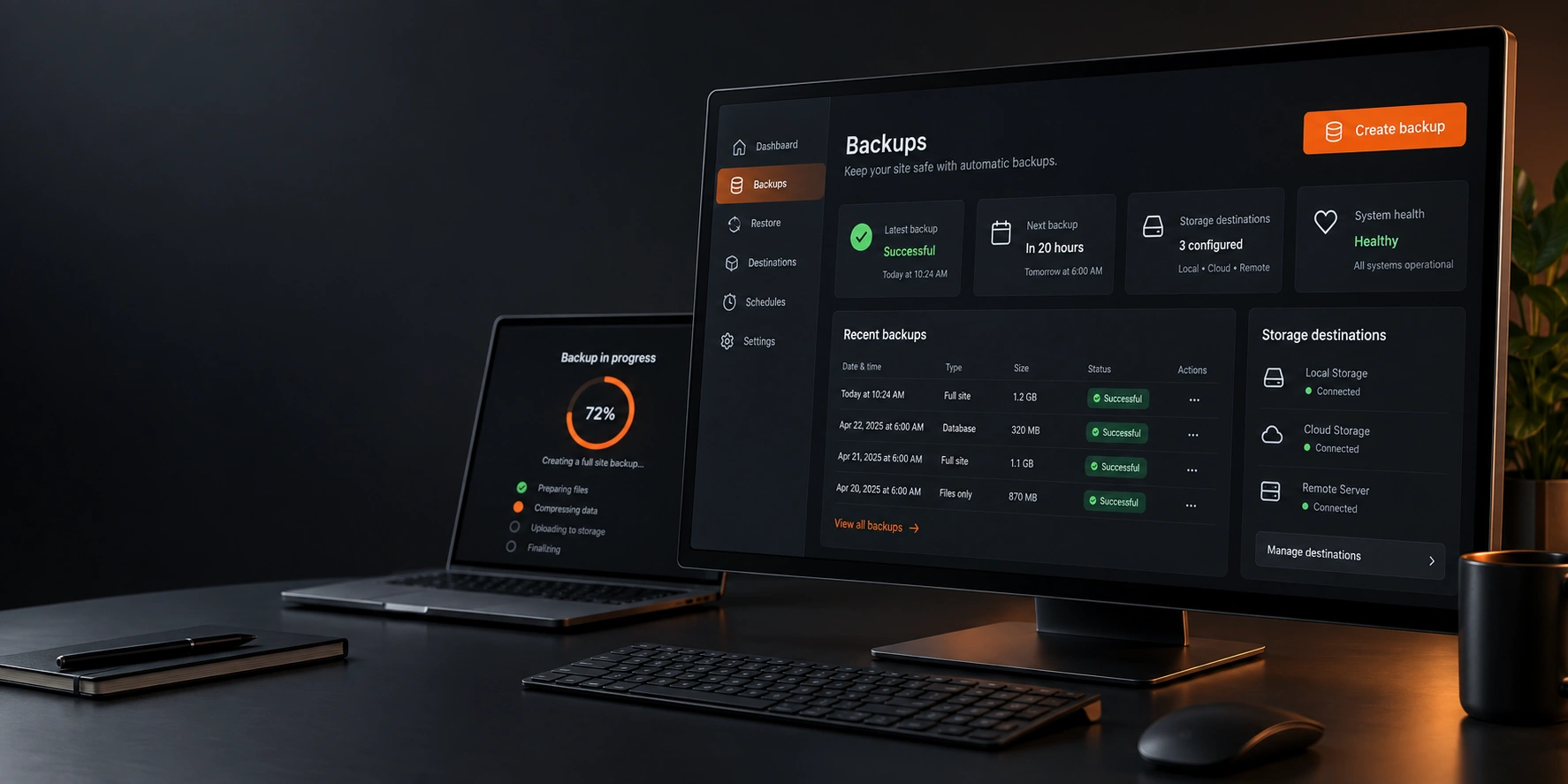
Backup, restore, and migrate your WordPress site — your way, on your servers. Run full-site or database-only backups, store them locally or push them automatically to FTP, FTPS, SFTP, or Amazon S3, and restore — or migrate to a new domain — with confidence using built-in dry-run previews and integrity checks.
01 / Why
Your WordPress site is too important to leave unprotected.
Design Ninja Backup Manager gives you complete control over how, when, and where your backups are created and stored — without locking you into a single cloud vendor or charging a subscription to unlock basic features. Built for site owners, agencies, and developers who need a backup solution that’s reliable, transparent, and genuinely secure.
02 / What it does
01
Built on Security, Not Just Convenience
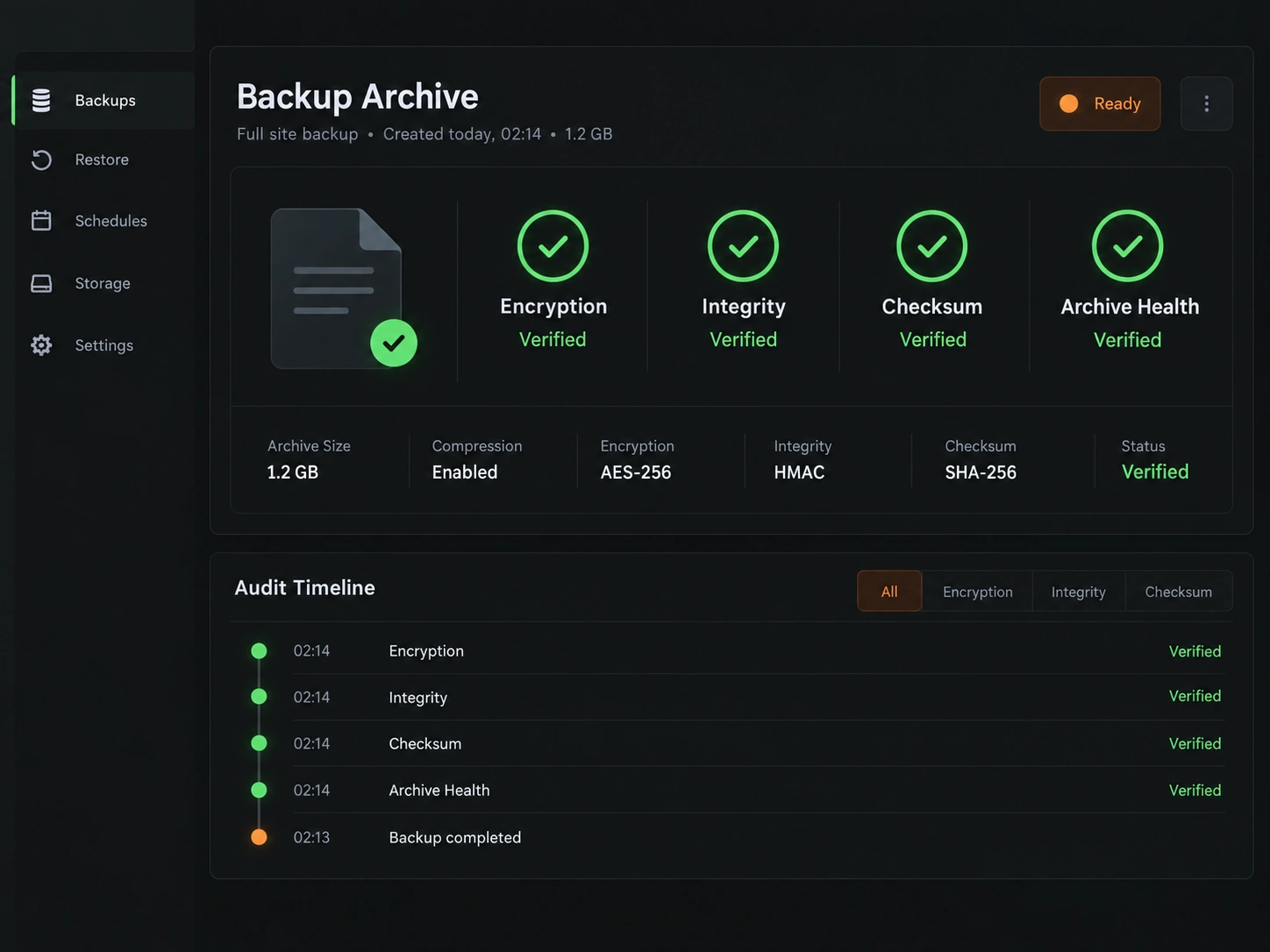
Every backup can be protected with AES-256-CBC encryption and HMAC-SHA256 integrity verification, so your data stays safe even if it ends up on third-party storage. Every archive is checksummed (SHA-256) to guarantee what you restore is exactly what you backed up — no silent corruption, no surprises.
- Encrypted archives — the key stays with you
- Integrity verification after every run
- Checksum match before any restore
02
Store Backups Wherever You Want
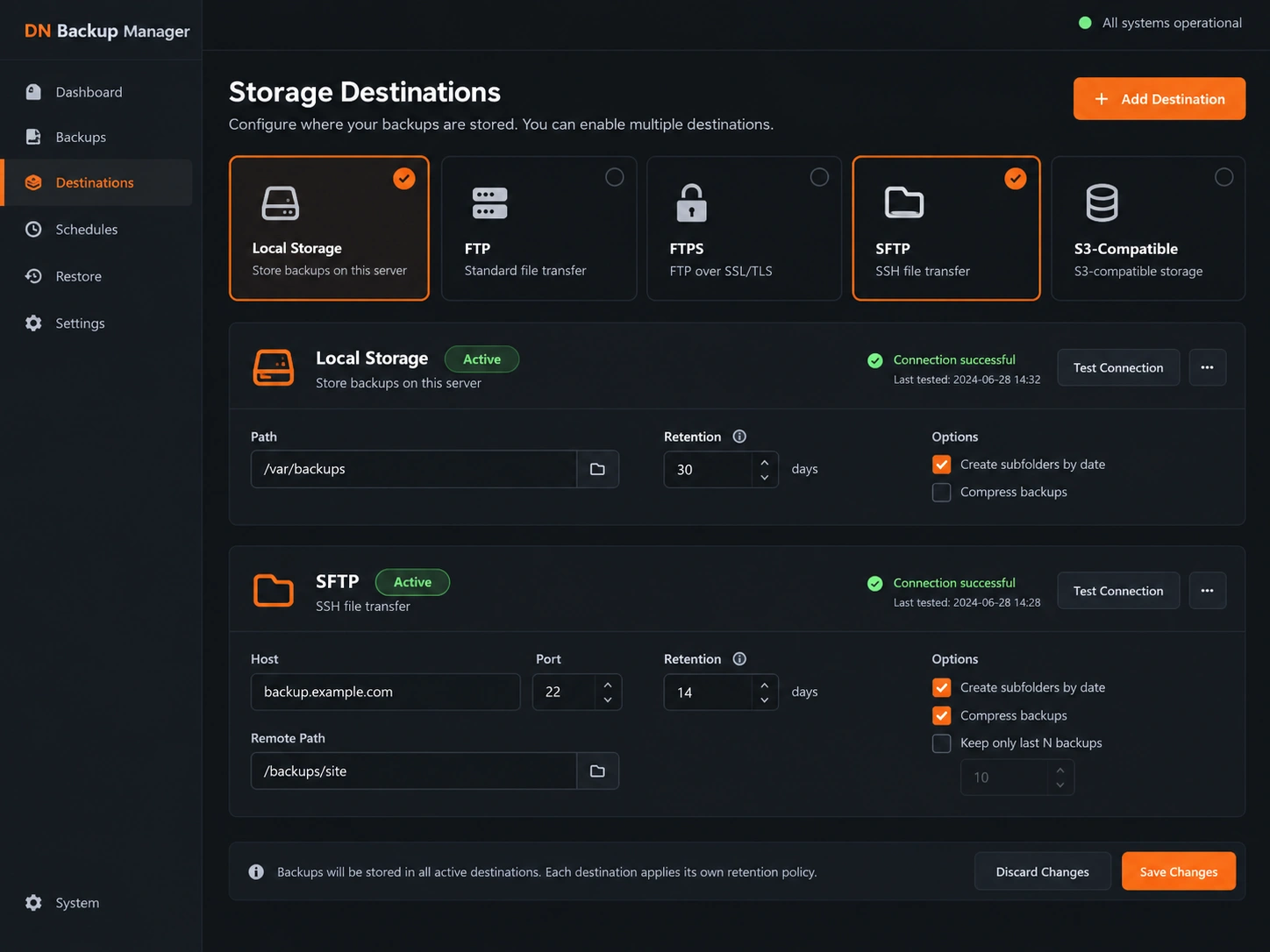
No vendor lock-in. Send your backups to local storage, FTP / FTPS, SFTP (powered by the bundled phpseclib library) or Amazon S3 — authenticated with AWS Signature V4 using your own credentials. DN Backup Manager never sends your data to the plugin developer’s servers. Your backups go only where you tell them to go.
- Local storage with protected backup directory
- FTP, FTPS and SFTP — no server-side Composer setup
- S3-compatible cloud with your own keys and retention
03
Set It and Forget It
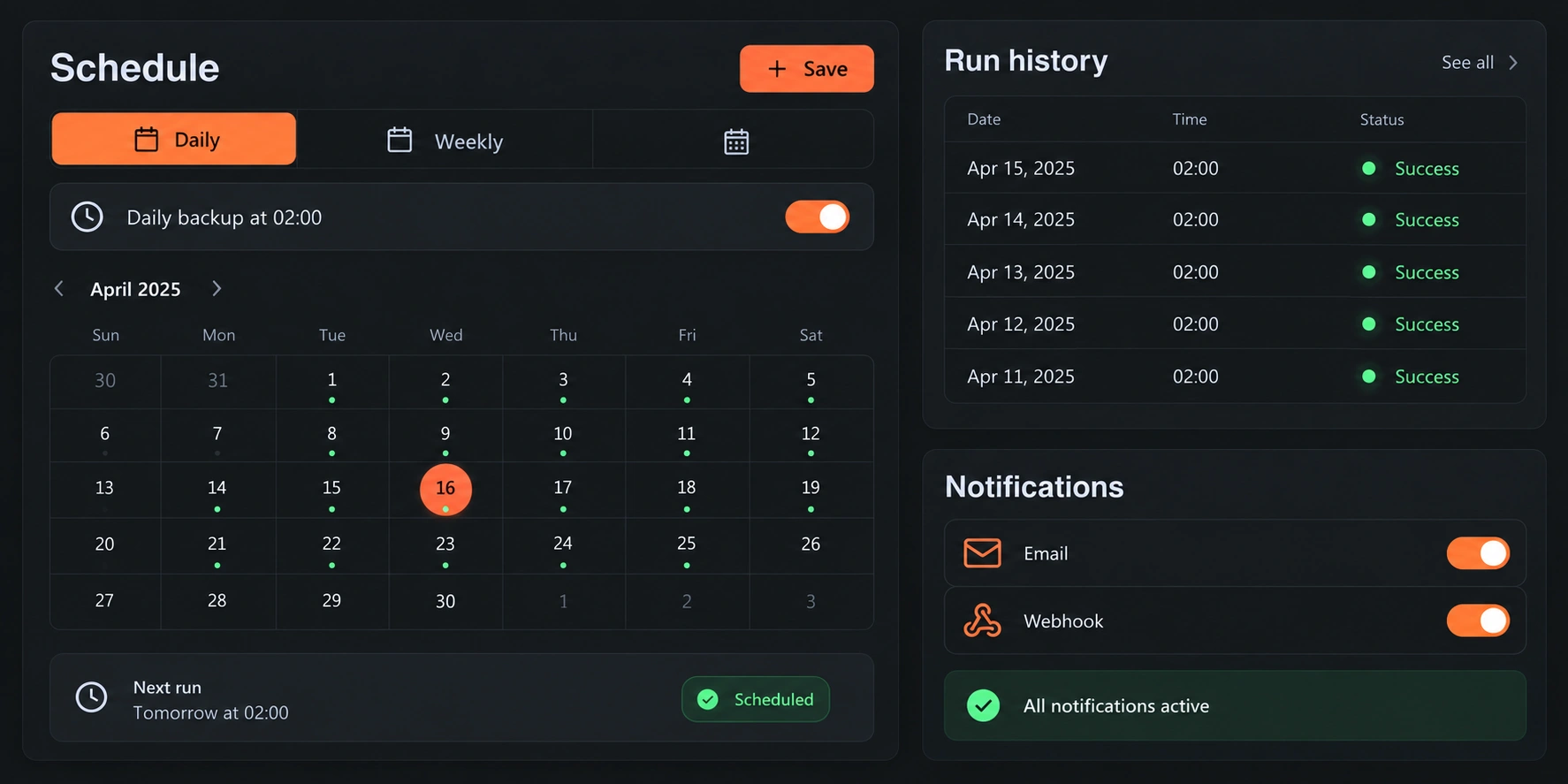
Schedule automatic backups daily, weekly, monthly, or on a custom interval. See the next run and the full run history at a glance, and get email or webhook notifications (Slack, Discord, or any endpoint you choose) the moment a backup succeeds — or fails.
- Full-site or database-only jobs on separate schedules
- Next run and history in one view
- Email and webhook notifications
04
Restore with Confidence
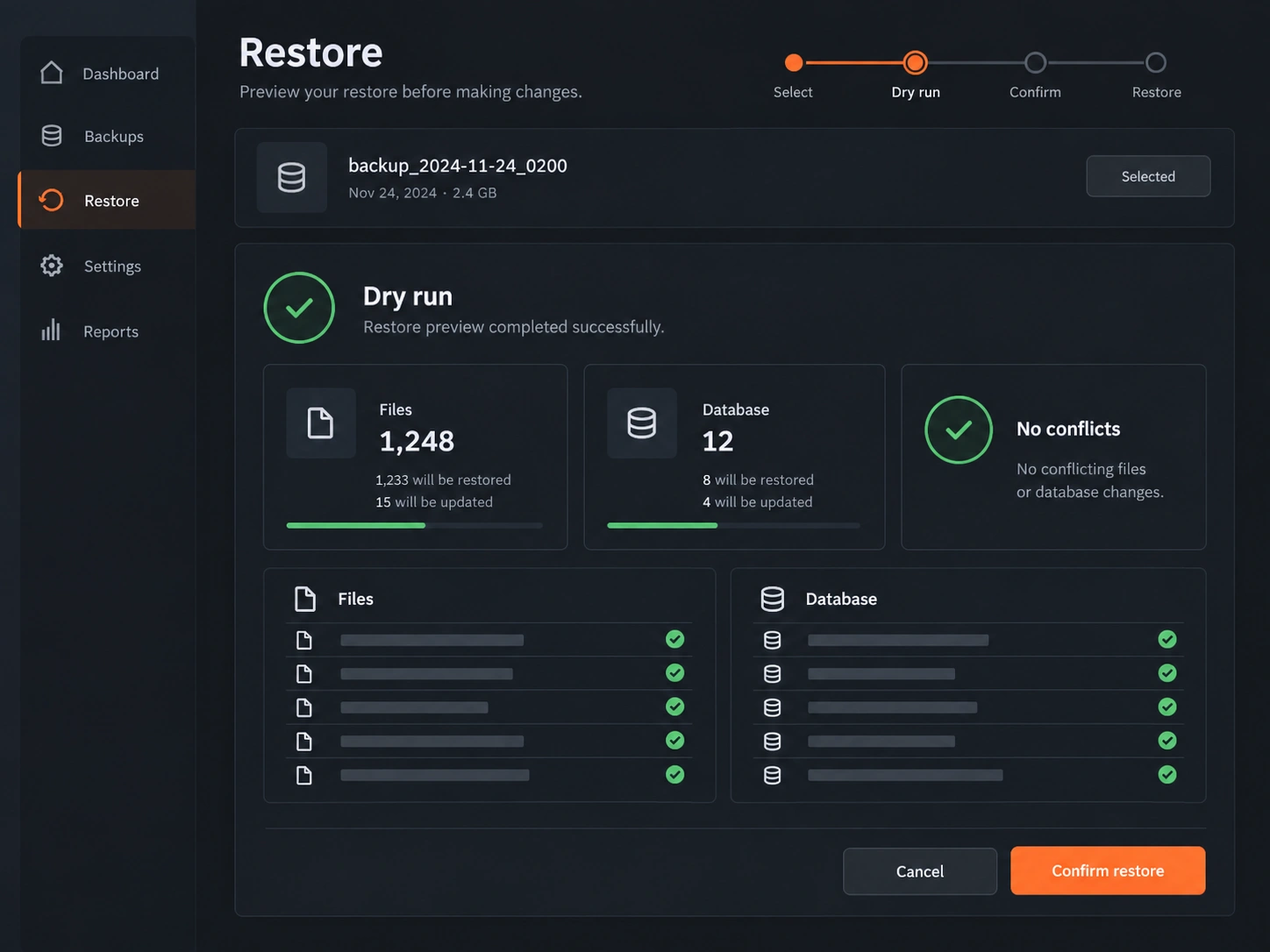
Restoring a backup shouldn’t feel like a gamble. The dry-run preview shows exactly which files and tables a restore will change — and whether there are any conflicts — before anything is touched. Combined with integrity checks, you’ll know your restore point is solid before you ever need it in an emergency.
- File and database summary before applying
- Conflict detection with a clear “No conflicts” state
- “Fetch for Restore” pulls remote backups back on demand
05
Migrate Domains the Right Way
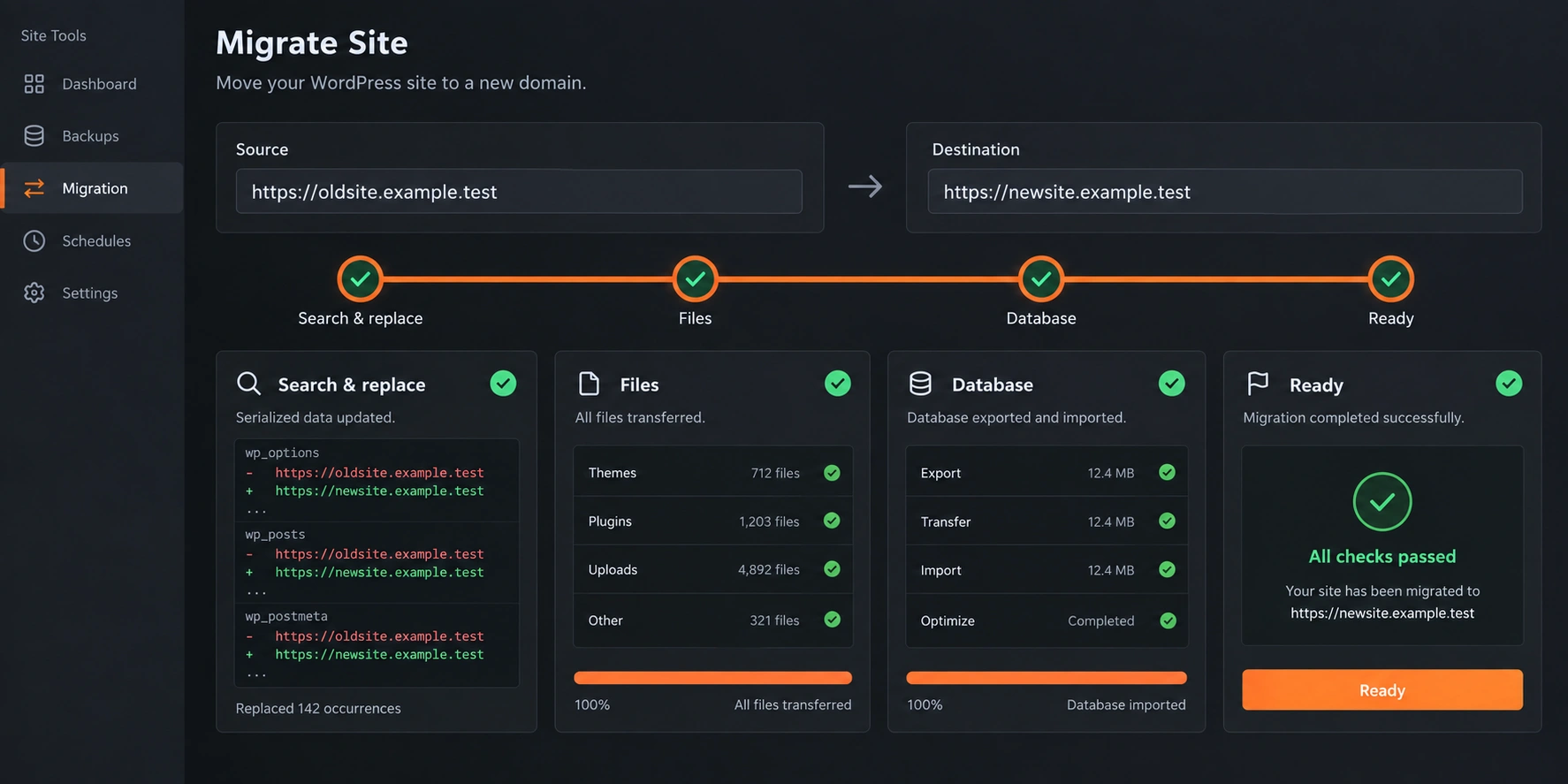
Moving your site to a new domain or server? Source and target domain, search & replace, files and database run as a single process — and serialized data is handled correctly, the #1 cause of broken migrations when done by hand or with naive find-and-replace tools.
- Correct serialized-data search & replace
- Files and database verified after migration
- New server or new domain — same workflow
06
Built for Real-World Workflows
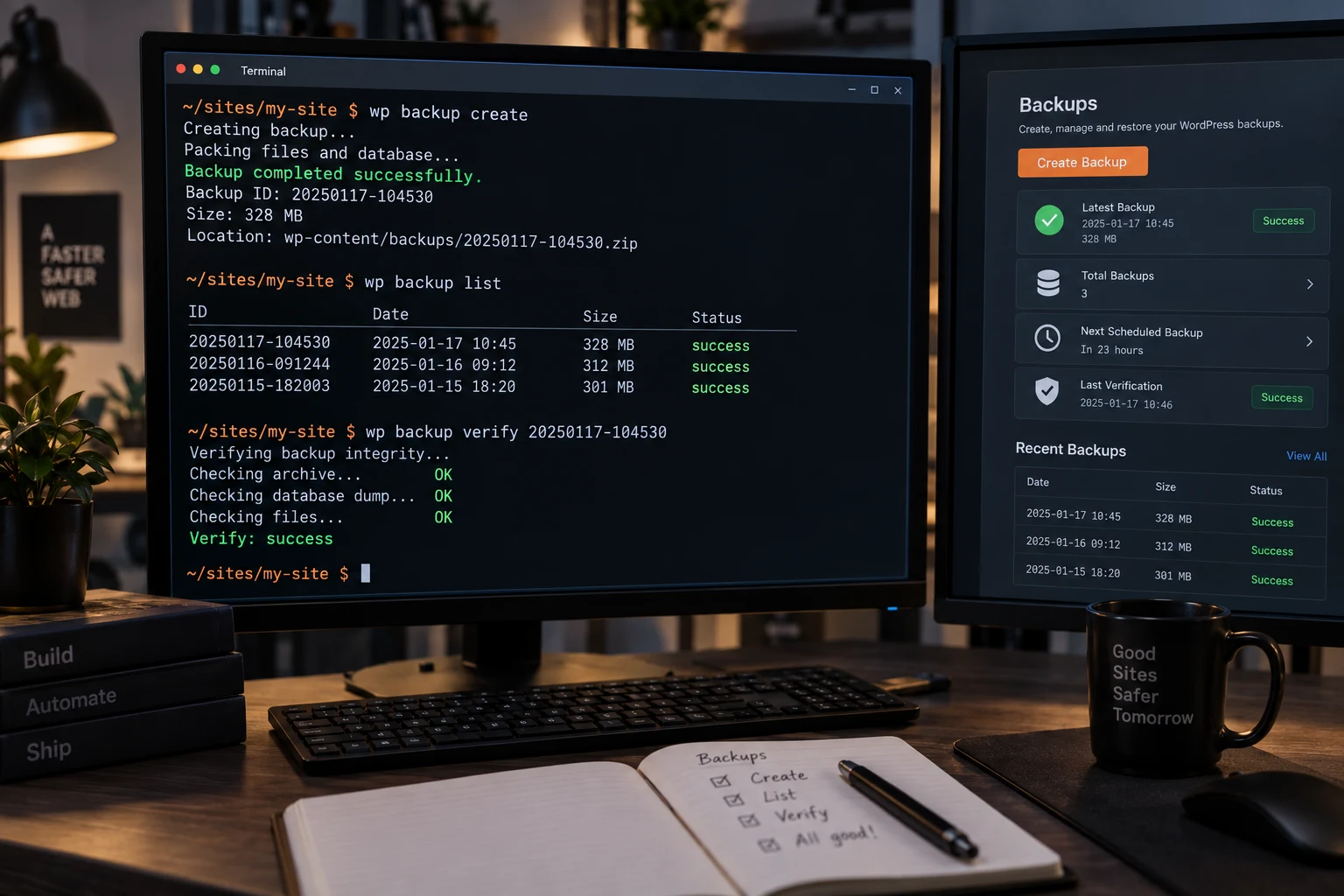
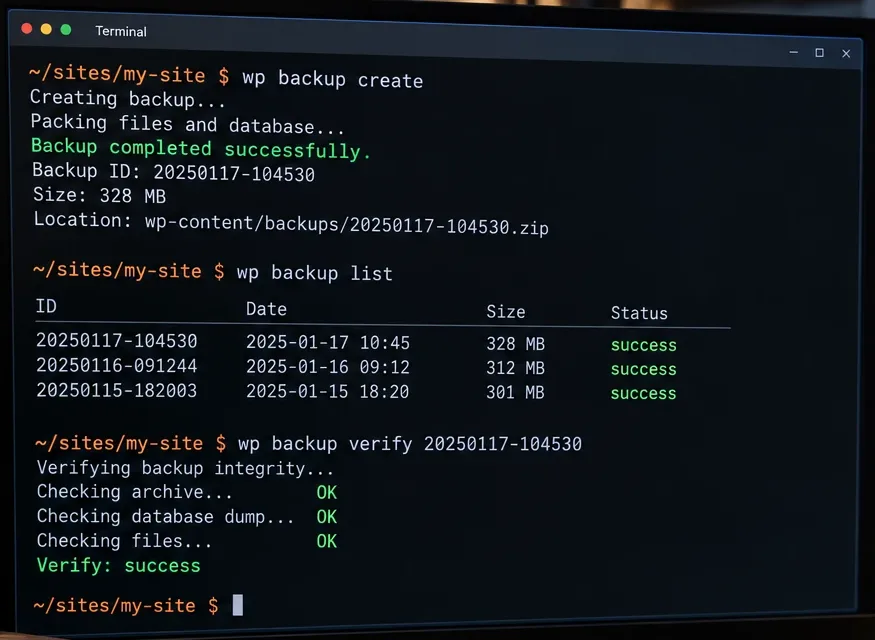
WP-CLI support for scripted backups, automated deployments and CI/CD pipelines; a dashboard widget showing your last backup status and next scheduled run; full or database-only backups; and a multilingual admin UI with a per-plugin language selector, independent of your site’s language setting.
- wp backup create · list · verify
- Dashboard widget with last status and next run
- Per-plugin admin language selector
03 / Transparent by design
No hidden phone-home calls. No telemetry you didn’t ask for.
Design Ninja Backup Manager only talks to the storage and notification endpoints you configure — nothing more. No mystery data flows.
Feature list
-
Backup
- Full site backup (files + database) or database-only backup
- Scheduled backups: daily, weekly, monthly, or custom intervals
- AES-256-CBC encrypted backup files with HMAC-SHA256 integrity protection
- SHA-256 checksum verification on every backup archive
-
Storage
- Local storage with protected backup directory
- Remote storage: FTP, FTPS, SFTP, Amazon S3
- Multiple simultaneous storage targets with configurable retention
-
Restore & Migration
- Secure restore with dry-run preview before applying changes
- Domain migration with correct serialized-data search & replace
- “Fetch for Restore” to pull remote backups back to the server on demand
-
Automation & Monitoring
- Email notifications on backup success/failure
- Webhook notifications (Slack, Discord, or any custom endpoint)
- WordPress Dashboard widget with last backup status
- Full WP-CLI command support
-
Trust & Compliance
- No data ever sent to the plugin developer — you control every destination
- WordPress Coding Standards & Plugin Check compliant codebase
- Clear, documented uninstall behavior (opt-in full data removal)