

Skip to content
Design Ninja

Solution_05 / Integration and automation

Integration, automation, data connections

Your systems should talk to each other – not your colleagues copying data between them.

In most companies, errors and unnecessary work arise in the gaps between programs: the order is in one, the invoice in another, the stock in a spreadsheet, and the customer asks questions by e-mail. We close those gaps: we connect the programs you already use and replace manual steps with automated, traceable processes – without you having to replace anything.

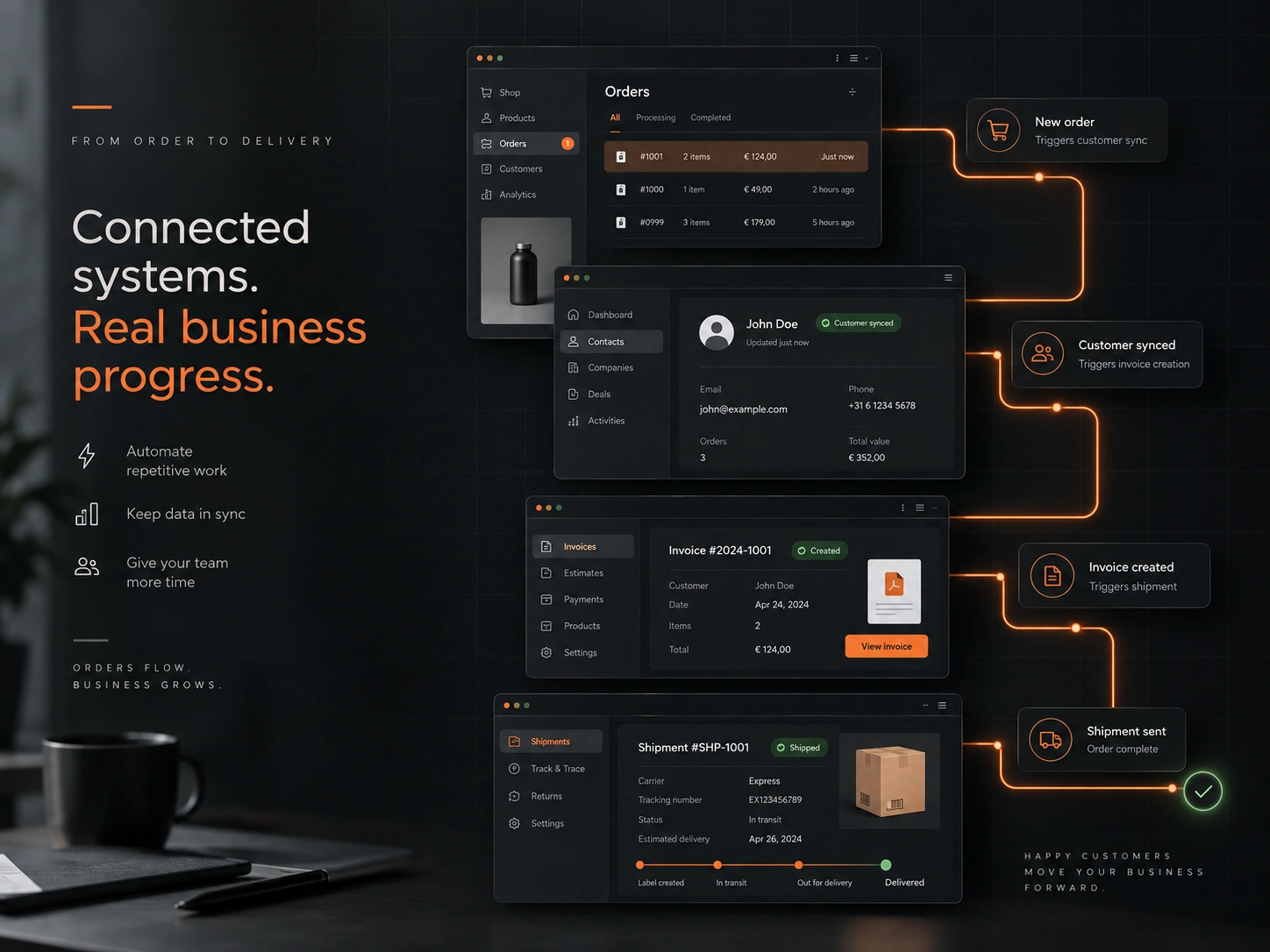
Automated data flow connecting a webshop, CRM, invoicing and delivery
  • Connecting programs
  • Two-way sync
  • Event-triggered
  • Scheduled runs
  • Logging
  • Error alerts
  • Automatic retries
  • Shared reports

01 / Who it’s for

Who do we build it for?

  1. 01

    Companies with several independent programs

    Invoicing, CRM, webshop, warehouse, accounting – each works well on its own, but together they mean manual work.

  2. 02

    Retailers and webshops

    Automating the order–invoice–courier–stock chain and importing price and stock data from suppliers.

  3. 03

    Service providers with recurring admin

    Quotes, contracts, reminders, reports – run by rules, without anyone having to remember.

02 / What’s included

The modules the system is built from.

You don’t need every module at once. The first working version gets whatever takes the most load off your shoulders – the rest can be switched on later without a redesign.

  1. 01

    Connecting programs

    Connections to invoicing, CRM, warehouse, banking, courier, payment and marketing systems; where no direct connection is possible, file- or e-mail-based processing.

  2. 02

    Data synchronisation

    Two-way, scheduled or event-triggered sync of product, price, stock, customer and order data – with conflict handling.

  3. 03

    Automated workflows

    Event → rule → action: an invoice and label when an order comes in, a reminder when a deadline approaches, a notification when a status changes.

  4. 04

    Document and e-mail processing

    Automatic reading and recording of incoming orders, invoices and applications – with AI support where needed.

  5. 05

    Logging and error handling

    Every run is logged, and a failed step is retried or flagged; notifications by e-mail or chat, so nothing gets lost silently.

  6. 06

    Reports in one place

    Data from several programs in one place: statements, scheduled report e-mails, exports for your accountant.

03 / How we build it

Four phases, with clear outcomes.

Every phase ends with something tangible and a decision – you can see where the project stands and what comes next throughout.

  1. 01

    Process map

    Where each piece of data originates, where it needs to end up, who touches it by hand – and where errors creep in.

  2. 02

    Connection plan

    Programs, connection points, data field mapping, and error-handling and sync rules, all in writing.

  3. 03

    Building in a test environment

    Building and testing the connections without putting live data at risk; parallel checking.

  4. 04

    Go-live and monitoring

    Gradual switchover, monitoring, notifications; phasing out the manual steps.

04 / Typical use cases

What we build it for.

  1. 01

    From order to invoice and courier label

    Webshop order → automatic invoice in your invoicing program → courier label → tracking sent back to the customer, with no manual step.

  2. 02

    Supplier price and stock sync

    Automatic processing of daily price lists and stock data from several suppliers, with margin rules.

  3. 03

    CRM and quote request form

    A quote request from your website goes straight into the CRM, with a task and an owner, and the reply is logged.

  4. 04

    Accounting export

    Monthly automatic compilation of invoices, bank items and expenses in your accountant’s format.

05 / Frequently asked questions

What most people ask.

If it has an API or export/import options, yes – most Hungarian invoicing programs, courier services and common webshop engines do. For closed programs we build a file-, e-mail- or database-based connection; we clarify this during the assessment.

The process waits and retries, we log the error, and if it persists we send a notification. No data is lost and nothing is recorded twice.

No – the whole point is that your existing, well-working programs stay; only the manual work between them disappears.

During the assessment we estimate the current effort step by step; typically, several hours of admin a week shrink to a few minutes of checking a day.

References on this topic

We’ve built this before

  • 01 Webshop

    Intim fehérnemű

    New webshop on a custom web engine: over 900 products organized into categories, cart and ordering, GLS and postal delivery. Web design and development.

    Visit site: Intim fehérnemű
  • 02 Webshop

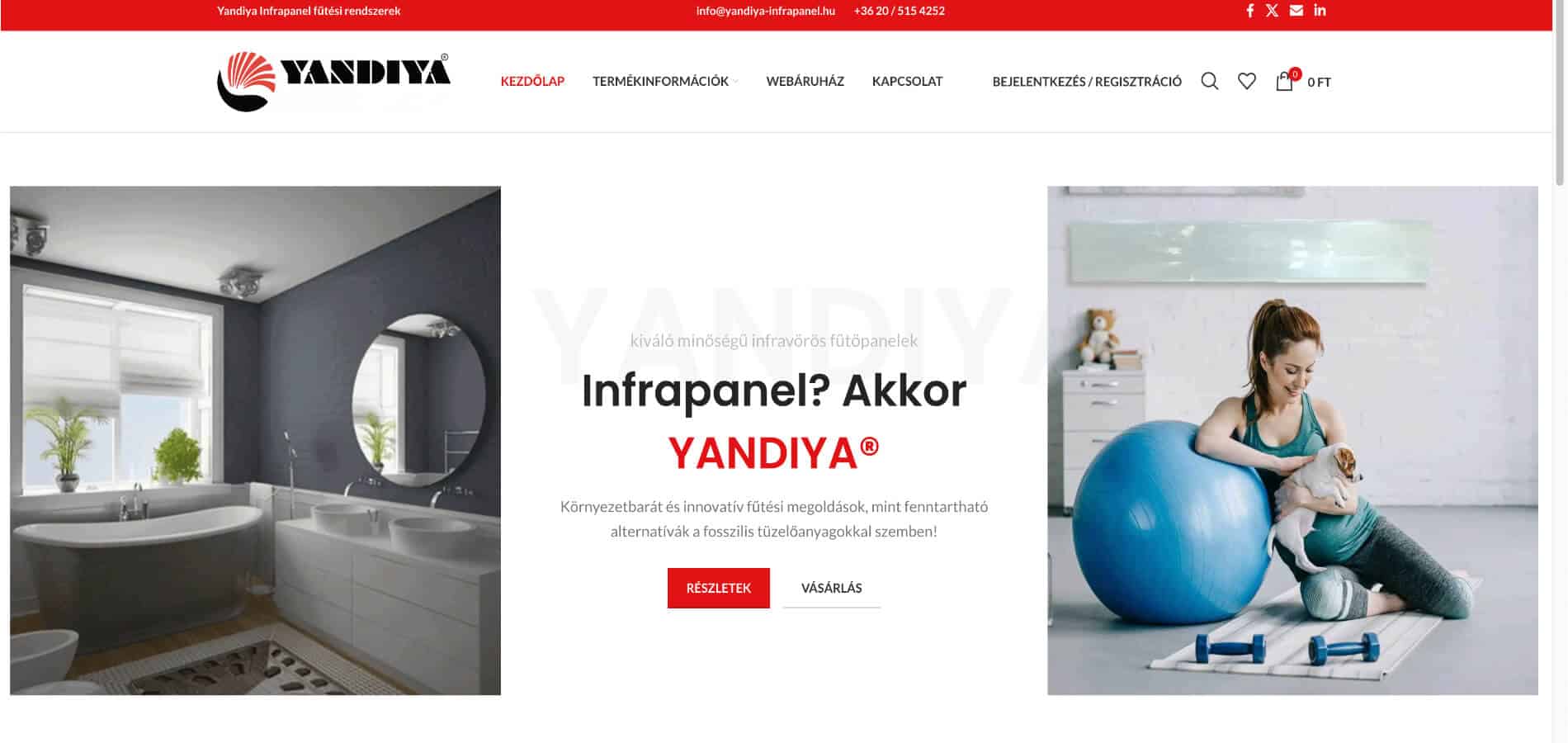
    Yandiya infrapanel

    Complete website and webshop build, web design, mapping of business processes, multilingual setup, hosting and domain services, operation and maintenance.

    Visit site: Yandiya infrapanel

23 more projects on the references page, filterable by type.

All references

Next step

Let’s talk: integration and automation

Briefly describe your business, your current process and your goal. In the first conversation we’ll decide together whether there is a real, achievable opportunity in it – no obligation.

Get in touch

By submitting the form you accept the privacy policy.